Friday, April 16, 2010

In Class Videos.

In the videos i was interested to find that one of the professors termed the Internet as a information overload. i find this interesting because humans on;y ever use 2-3% of our brains so an overload would have to be at least 33 times the amount we already intake. I also found that the relationships that people can forge online in games are really like that. One of my best friends is someone i have never met we played war craft 3 together for about 3 hours a week about 2 weeks in he gave me his MSN and we started chatting out of games and arranging times for us to play. But i also agree that over use of games can be harmful i do admit i spend two much time online. i am sitting in front of a computer probably 8-12 hours a day weekdays and 10-16 hours a day on weekends. except when i am on vacation or have made plans to do something outside because i can talk to so many of the friends i made in games. Also the point about how much worse a google search is compared to reading i find ridiculous because after you search something the next step is to read the page you found or watch the show/play the game. Online i can find whole books and thus after that google search i become involved in the reading just like it would be if i went to the library in the basement to find a book i would have to decide what book i want to read be it a google search or a trip to the library. with the recent remodeling of our basement we were forced to move everything out of it so the T.V. was moved upstairs because of this i find myself dividing my attention more because almost always will some other member of my family be watching TV when i am on the computer i also listen to music in the background when i read a book even if it is one that not online. I do agree with the remark on how student do paragraph wirting for an essay because i do it to i will be writing finish a paragraph and the go check a webcomic to see if it has updated.

Thursday, April 15, 2010

Important Questions that must be addressed:
1. The name of the Operating Systems (OS)

Linux red hat
2. Creators (company and individual names if possible)

In 1994 Marc Ewing created his own Linux distribution, which he named Red Hat Linux. Ewing released it in October
3. Why these operating systems were created


4. Comparison of features (what are similar features? What does one have that the other does not?)


5. Advantages of both OS's

older well built os so can fund other newer os such as fedora.

Open source bussiness model.


6. Disadvantages of both OS's


7. Target market (ex. home, business, students, programmers, servers, etc.)


8. Distribution (approximately how many % of people use it?)


9. Reviews (good and bad, what people have to say about both OS's)


10. Cost (if several versions are available, list each one)


11. What is the native file format of the operating system? (ex. NTFS, HFS+, FAT32, etc.)


12. What kinds of programs are available on each operating system? (ex. games, photo editors, desktop publishing etc.)


13. Based on your research, which operating system would you recommend using and why?

One Laptop per Child

Mugshot

Dogtail

Red Hat Exchange

Wednesday, April 14, 2010

1. What is an operating system and what is its purpose?
An operating system is a code that manages the hardware and software resources of the system. It's perpose is to controle numerours complex systems that would be difficult to run indevidually.
2. What operating system do most computers come preloaded with?
a member of the windows family.
3. Besides personal computers, what other devices have operating systems?
i phones, palm pilots and the likes
4. Do all computers have operating systems? Explain
no not all computers have operating systems for example a microwave does not because it doesn't need it.
5. What are the three most common operating systems? Are there other operating systems? Explain.
the windows family Mac os and linux because linux is a very high end hard to understand system that nasa and such agencies use and windows and OS come with the majority of home computers that you would buy.
6. What is one reason why operating systems are coded rather than physical circuits?
so for a minor change you wouldn't have to scrap the whole system.
7. What are the two main functions of an operating system?
It provides a stable, consistent way for applications to deal with the hardware and it manages the hardware and software resources of the system.
8. What are the four types of operating systems?

9. What are the first actions the computer takes when you power it on?

10. What is the bootstrap loader? What is its function?

11. How does the OS manage the processor?

12. What does an operating system do when two processes are multi-tasking?

13. What is thrashing?

14. What is virtual memory management?

15. What is a driver?

16. How can input/output capabilities of a system be enhanced?

17. How do application program interfaces make it easier for programmers?

18. What is a UI and GUI?

19. Why is Linux being open source significant?

20. What are some other devices that run on Linux?

21. What are 3 things you found interesting about operating systems that you did not know before?

22. What is a question that you still have about operating systems?

Monday, April 12, 2010


LAN
Full Name:Local Area Network
What is it:a group of computers on a single connection in a small area.
Example:at my house the main computer my dads computer and my brothers laptop are all on the same connection.
WAN
Full Name: Wide Area Network
What is it:a computer network that spans a larger area than a normal lan network.
Example: A large company head office has a WAN and so all of the other branches have the same connection.


Fiber optic cable 10-100 m
Coaxial Cable 100-1000'
Unshielded Twisted Pair (UTP) Cable 100m
Router:
translates information from one network to another. select the best path to message depending on the destination and the origin.
Bridge :
Allow you to segment one large network into 2 smaller networks more efficient networks.
Switch:
A switch is a concentrator they electricly amplify the signal as it moves from one system to another.

Friday, March 26, 2010

Buying vs Building

for me buying is currently better do to my lack of knowlage of how to put a computer togeather. upgradeing a prebuilt computer would probably be my choice because that would be unplug ram#1 and install ram#2 so i could do that easily enough. Building a computer would be better for someone with advanced knowlage of cpu systems because they could personlize it. hobbists can have fun with parts hunting and gamers can have lots of ram and a great grafics card without needing to get a high end super high end hard drive. There are also quite a few advantages to getting a prebuilt computer first you get it immidately. #2 all of the components are compatable with each other. #3 for customer support you only need to have one destination.

Thursday, March 25, 2010


1. What is the tower? the actual compuer that contains the hardware such as the mother board.
-What does it look like? a rectangular prism
- What is its function? to store and run the actual computer parts
2. What is RAM? a computer data storage device
- What does it look like? a computer chip
- What is its function? to store all sorts of data
- What does RAM stand for? random access memory
3. What is a Hard Drive? a non-volatile storage device
- What does it look like?
- What is its function?

4. What is a DVD and DVD drive? digital versitial disk
- What do they look like? shiny circular disks
- What is their function? video and data storage

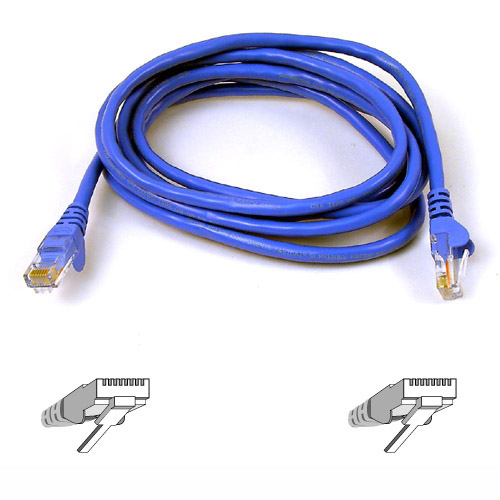
5. What is a ethernet cable?
- What does it look like?like a phone cable
- What is its function? to connect your computer to the internet

6. What is a motherboard? the central circuit board.
- What does it look like? l larger circit board
- What is its function? to direct flow of information

7. What is an IDE and SATA cable? a connection cable
- What do they look like? a belt of wires.
- What is their function? to transfer information.
8. What is USB? a portable storage device
- What does it look like? a small rectangular prism
- What is its function? to store information
- What does USB stand for? universal storage bus
9. What is a video card? a card that converts data to graphical information.
- What does it look like? like a circit board
- What is its function? to convert data to pictures
10. What is a PCI card? a place to connect hardware to the motherboard
- What does it look like?

- What is its function? to connect hardware to the motherboard.

-What does PCI stand for? Peripheral Component Interconnect
I know very little about computer systems i know hardware is the physical parts of the computer and the soft ware is the discs installed into the computer. i have seen the inside of a computer about three times in my life and the last time the part were explained to me was in grade 1 at cub scouts. i know a network is your feed to the internet but i don't know how to set one up besides plugging one into the computer. and i know that i use windows and it works ok not great but ok.